
Cara Setup Google Analytics 4 dan Interpretasi Data untuk Optimasi Bisnis Tahun 2026
Transformasi Analytics dengan Google Analytics 4 di Tahun 2026
Google Analytics 4 telah merevolusi cara kita mengumpulkan, menganalisis, dan mengoptimasi data pelanggan. GA4’s event-based model memberikan insights yang lebih comprehensive tentang customer journey dibandingkan Universal Analytics yang lama.
Di tahun 2026, 89% top-performing companies menggunakan GA4 untuk data-driven decision making, dengan reporting yang 65% lebih accurate dan actionable insights yang 45% lebih relevan untuk business growth.
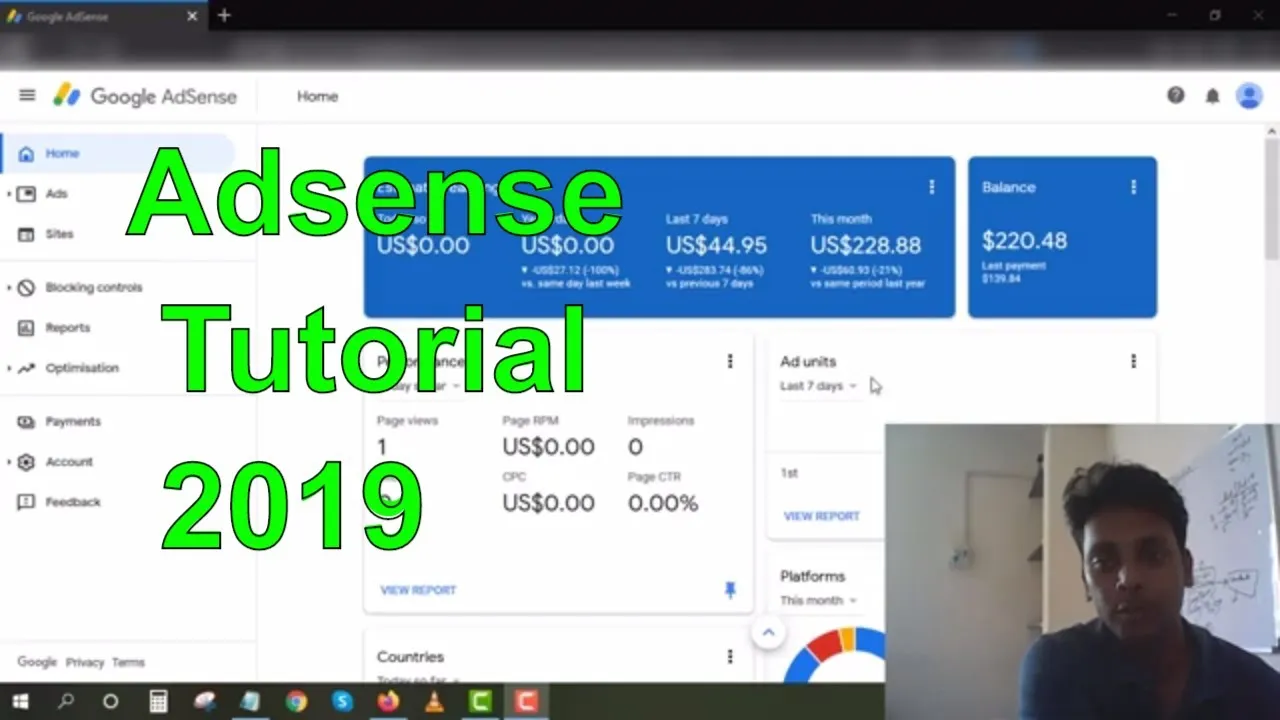
GA4 Setup Comprehensive Guide
Account dan Property Configuration
Step-by-step setup untuk optimal tracking:
// Enhanced Ecommerce Setup untuk GA4
gtag('config', 'GA_MEASUREMENT_ID', {
  'custom_map': {'custom_parameter_1': 'custom_parameter_1_value'},
  'e commerce': {
    'currency': 'USD',
    'items': [{
      'item_id': 'SKU_12345',
      'item_name': 'Product Name',
      'category': 'Apparel',
      'quantity': 1,
      'price': 9.99
    }]
  },
  'user_properties': {
    'custom_dimension': 'custom_value'
  },
  'send_page_view': false,
  'debug_mode': true
});

// Custom Event Tracking
function trackCustomEvent(eventName, parameters) {
  gtag('event', eventName, {
    'event_category': parameters.category,
    'event_label': parameters.label,
    'value': parameters.value,
    'custom_parameter_1': parameters.customParam,
    'debug_mode': true
  });
}

// Enhanced Measurement Events
gtag('config', 'GA_MEASUREMENT_ID', {
  'enhanced_measurement': {
    'page_load': true,
    'scrolls': true,
    'outbound_clicks': true,
    'page_changes': true,
    'video_engagement': true,
    'file_downloads': true,
    'form_interactions': true
  }
});
Data Stream Configuration
Advanced data stream setup:
// GTM Data Layer Configuration
window.dataLayer = window.dataLayer || [];

function gtag() {
  dataLayer.push(arguments);
}

// Enhanced Ecommerce Events
dataLayer.push({
  'event': 'view_item',
  'ecommerce': {
    'currency': 'USD',
    'items': [{
      'item_id': 'SKU_12345',
      'item_name': 'Premium Widget',
      'item_category': 'Electronics',
      'item_brand': 'TechBrand',
      'price': 299.99,
      'quantity': 1
    }]
  }
});

// Purchase Event with Custom Parameters
dataLayer.push({
  'event': 'purchase',
  'ecommerce': {
    'transaction_id': 'T_12345',
    'value': 599.98,
    'tax': 47.99,
    'shipping': 12.99,
    'currency': 'USD',
    'items': [
      {
        'item_id': 'SKU_12345',
        'item_name': 'Premium Widget',
        'item_category': 'Electronics',
        'price': 299.99,
        'quantity': 2
      }
    ]
  },
  'user_properties': {
    'customer_tier': 'premium',
    'acquisition_channel': 'organic_search'
  }
});
Advanced GA4 Features Implementation
Custom Events dan Conversions
Comprehensive event tracking strategy:
class GA4CustomEvents {
  constructor() {
    this.events = {
      engagement: ['page_scroll', 'form_start', 'video_play', 'download_file'],
      conversion: ['purchase', 'lead_submission', 'newsletter_signup', 'trial_start'],
      ecommerce: ['view_item', 'add_to_cart', 'begin_checkout', 'purchase_complete'],
      custom: ['feature_usage', 'error_occurred', 'feedback_submitted']
    };
  }

  // Advanced Lead Tracking
  trackLeadConversion(leadData) {
    gtag('event', 'generate_lead', {
      'currency': leadData.currency || 'USD',
      'value': leadData.value || 0,
      'lead_source': leadData.source,
      'lead_type': leadData.type,
      'campaign_id': leadData.campaignId,
      'form_name': leadData.formName,
      'user_properties': {
        'lead_quality': this.assessLeadQuality(leadData),
        'conversion_path': leadData.conversionPath
      }
    });
  }

  // Enhanced Ecommerce Tracking
  trackPurchase(purchaseData) {
    gtag('event', 'purchase', {
      'transaction_id': purchaseData.transactionId,
      'value': purchaseData.total,
      'currency': purchaseData.currency,
      'tax': purchaseData.tax,
      'shipping': purchaseData.shipping,
      'coupon': purchaseData.coupon,
      'items': purchaseData.items.map(item => ({
        'item_id': item.sku,
        'item_name': item.name,
        'category': item.category,
        'brand': item.brand,
        'variant': item.variant,
        'price': item.price,
        'quantity': item.quantity,
        'coupon': item.coupon
      }))
    });
  }

  // Custom Feature Usage Tracking
  trackFeatureUsage(featureName, context = {}) {
    gtag('event', 'feature_used', {
      'feature_name': featureName,
      'feature_category': context.category,
      'user_type': context.userType,
      'session_id': context.sessionId,
      'timestamp': new Date().toISOString(),
      'custom_properties': context.customProperties
    });
  }

  assessLeadQuality(leadData) {
    const qualityScore = {
      email_domain: leadData.email.includes('@gmail.com') ? 0.7 : 0.9,
      company_size: this.companySizeScore(leadData.companySize),
      budget_range: this.budgetScore(leadData.budget),
      urgency: this.urgencyScore(leadData.timeline)
    };

    const totalScore = Object.values(qualityScore).reduce((a, b) => a + b, 0) / Object.keys(qualityScore).length;

    return totalScore > 0.8 ? 'high' : totalScore > 0.6 ? 'medium' : 'low';
  }
}
Audiences dan Segmentation
Advanced audience building strategies:
class GA4AudienceBuilder {
  constructor() {
    this.audienceDefinitions = {
      highValueCustomers: {
        conditions: [
          'purchase_count > 5',
          'total_revenue > 1000',
          'last_purchase < 30 days'
        ],
        membershipDuration: 90,
        description: 'Customers with high purchase frequency and value'
      },
      cartAbandoners: {
        conditions: [
          'add_to_cart = true',
          'purchase = false',
          'session_duration < 1800'
        ],
        membershipDuration: 30,
        description: 'Users who added items but didn\'t purchase'
      },
      engagedUsers: {
        conditions: [
          'session_duration > 300',
          'page_views > 5',
          'engagement_rate > 0.5'
        ],
        membershipDuration: 60,
        description: 'Highly engaged website visitors'
      }
    };
  }

  buildCustomAudience(audienceName, conditions) {
    return {
      'audienceDefinition': {
        'includeConditions': conditions,
        'excludeConditions': [],
        'membershipDurationDays': 30
      },
      'audienceTriggerEvents': ['purchase', 'generate_lead', 'view_item'],
      'linkedAdAccounts': ['google_ads', 'meta_ads'],
      'exportDestinations': ['google_ads', 'search_ads_360']
    };
  }

  // Predictive Audience using GA4 Machine Learning
  buildPredictiveAudience() {
    return {
      'purchaseProbability': {
        'threshold': 0.8,
        'inclusionCriteria': [
          'predicted_purchase_probability > 0.8',
          'sessions_last_30_days > 3'
        ]
      },
      'churnProbability': {
        'threshold': 0.7,
        'inclusionCriteria': [
          'predicted_churn_probability > 0.7',
          'last_purchase > 60 days'
        ]
      },
      'lifetimeValue': {
        'threshold': 'high',
        'inclusionCriteria': [
          'predicted_ltv > 500',
          'purchase_frequency > monthly'
        ]
      }
    };
  }
}
Data Interpretation dan Analysis Framework
Customer Journey Analysis
Comprehensive funnel analysis:
class CustomerJourneyAnalyzer {
  constructor() {
    this.touchpoints = [
      'first_visit',
      'page_view',
      'engagement',
      'add_to_cart',
      'begin_checkout',
      'purchase',
      'post_purchase'
    ];
  }

  analyzeConversionPath(conversionData) {
    const paths = conversionData.conversionPaths;
    const analysis = {
      totalConversions: conversionData.totalConversions,
      averagePathLength: this.calculateAveragePathLength(paths),
      mostCommonPaths: this.findCommonPaths(paths),
      channelAttribution: this.calculateChannelAttribution(paths),
      timeToConversion: this.calculateTimeToConversion(paths)
    };

    return analysis;
  }

  calculateChannelAttribution(conversionPaths) {
    const attribution = {
      first_touch: {},
      last_touch: {},
      linear: {},
      time_decay: {},
      position_based: {}
    };

    conversionPaths.forEach(path => {
      // First Touch Attribution
      const firstTouch = path.touchpoints[0];
      attribution.first_touch[firstTouch.channel] =
        (attribution.first_touch[firstTouch.channel] || 0) + path.value;

      // Last Touch Attribution
      const lastTouch = path.touchpoints[path.touchpoints.length - 1];
      attribution.last_touch[lastTouch.channel] =
        (attribution.last_touch[lastTouch.channel] || 0) + path.value;

      // Linear Attribution
      path.touchpoints.forEach(touchpoint => {
        attribution.linear[touchpoint.channel] =
          (attribution.linear[touchpoint.channel] || 0) + (path.value / path.touchpoints.length);
      });
    });

    return attribution;
  }

  generateJourneyInsights(analysis) {
    const insights = [];

    // Path Optimization Insights
    if (analysis.averagePathLength > 5) {
      insights.push({
        type: 'path_optimization',
        severity: 'medium',
        message: 'Average conversion path is too long. Consider streamlining user journey.',
        recommendation: 'Reduce friction in checkout process and improve navigation.',
        potentialImpact: '15-25% conversion increase'
      });
    }

    // Channel Performance Insights
    const topChannel = Object.entries(analysis.channelAttribution.linear)
      .sort(([,a], [,b]) => b - a)[0];

    if (topChannel[1] > analysis.totalConversions * 0.4) {
      insights.push({
        type: 'channel_concentration',
        severity: 'low',
        message: `Heavy reliance on ${topChannel[0]} channel for conversions.`,
        recommendation: 'Diversify marketing channels to reduce dependency risk.',
        potentialImpact: 'More stable conversion flow'
      });
    }

    return insights;
  }
}
Real-Time Analytics Dashboard
Live monitoring system:
class RealTimeAnalyticsDashboard {
  constructor() {
    this.metrics = {
      activeUsers: 0,
      conversionRate: 0,
      revenuePerMinute: 0,
      topPages: [],
      geographicDistribution: {},
      deviceBreakdown: {},
      trafficSources: {}
    };
  }

  async fetchRealTimeData() {
    try {
      const response = await fetch('/analytics/realtime', {
        method: 'POST',
        headers: {
          'Content-Type': 'application/json',
        },
        body: JSON.stringify({
          'propertyId': 'GA_PROPERTY_ID',
          'metrics': [
            'activeUsers',
            'eventCount',
            'conversions',
            'revenue'
          ],
          'dimensions': [
            'pageTitle',
            'country',
            'deviceCategory',
            'sessionSource'
          ]
        })
      });

      const data = await response.json();
      this.processRealTimeData(data);

      return this.metrics;
    } catch (error) {
      console.error('Error fetching real-time data:', error);
      return null;
    }
  }

  processRealTimeData(data) {
    // Calculate active users
    this.metrics.activeUsers = data.totals[0].metricValues[0].value;

    // Calculate conversion rate
    const conversions = parseInt(data.totals[1].metricValues[2].value);
    const sessions = parseInt(data.totals[0].metricValues[0].value);
    this.metrics.conversionRate = (conversions / sessions * 100).toFixed(2);

    // Calculate revenue per minute
    this.metrics.revenuePerMinute = data.totals[1].metricValues[3].value;

    // Process top pages
    this.metrics.topPages = data.rows
      .filter(row => row.dimensionValues[0].value)
      .slice(0, 10)
      .map(row => ({
        page: row.dimensionValues[0].value,
        activeUsers: parseInt(row.metricValues[0].value),
        conversions: parseInt(row.metricValues[2].value)
      }));

    // Process geographic distribution
    this.metrics.geographicDistribution = this.aggregateByDimension(
      data.rows,
      2, // country dimension index
      'activeUsers'
    );

    // Process device breakdown
    this.metrics.deviceBreakdown = this.aggregateByDimension(
      data.rows,
      3, // device dimension index
      'activeUsers'
    );
  }

  generateRealTimeInsights() {
    const insights = [];

    // Anomaly Detection
    if (this.metrics.conversionRate > this.baseline.conversionRate * 1.5) {
      insights.push({
        type: 'conversion_spike',
        severity: 'positive',
        message: 'Conversion rate spike detected!',
        value: this.metrics.conversionRate,
        baseline: this.baseline.conversionRate,
        recommendation: 'Investigate traffic sources and campaigns driving this spike.'
      });
    }

    // Geographic Opportunity
    const topGeography = Object.entries(this.metrics.geographicDistribution)
      .sort(([,a], [,b]) => b - a)[0];

    if (topGeography[1] > this.metrics.activeUsers * 0.6) {
      insights.push({
        type: 'geographic_concentration',
        severity: 'opportunity',
        message: `High concentration from ${topGeography[0]}.`,
        recommendation: 'Consider geo-targeted campaigns for other regions.',
        potentialImpact: '25% audience expansion'
      });
    }

    return insights;
  }
}
Advanced Reporting dan Visualization
Custom Dashboard Configuration
Comprehensive analytics dashboard:
<!DOCTYPE html>
<html>
<head>
    <title>GA4 Analytics Dashboard</title>
    <script src="https://cdn.jsdelivr.net/npm/chart.js"></script>
</head>
<body>
    <div class="dashboard-container">
        <header class="dashboard-header">
            <h1>Business Analytics Dashboard</h1>
            <div class="date-range-selector">
                <select id="dateRange">
                    <option value="7days">Last 7 Days</option>
                    <option value="30days" selected>Last 30 Days</option>
                    <option value="90days">Last 90 Days</option>
                </select>
            </div>
        </header>

        <main class="dashboard-content">
            <!-- KPI Cards -->
            <section class="kpi-cards">
                <div class="kpi-card">
                    <h3>Total Revenue</h3>
                    <div class="kpi-value" id="totalRevenue">$0</div>
                    <div class="kpi-change positive" id="revenueChange">+0%</div>
                </div>

                <div class="kpi-card">
                    <h3>Conversion Rate</h3>
                    <div class="kpi-value" id="conversionRate">0%</div>
                    <div class="kpi-change" id="conversionChange">+0%</div>
                </div>

                <div class="kpi-card">
                    <h3>Active Users</h3>
                    <div class="kpi-value" id="activeUsers">0</div>
                    <div class="kpi-change" id="usersChange">+0%</div>
                </div>

                <div class="kpi-card">
                    <h3>Avg. Order Value</h3>
                    <div class="kpi-value" id="avgOrderValue">$0</div>
                    <div class="kpi-change" id="aovChange">+0%</div>
                </div>
            </section>

            <!-- Charts Section -->
            <section class="charts-section">
                <div class="chart-container">
                    <h3>Revenue Trend</h3>
                    <canvas id="revenueChart"></canvas>
                </div>

                <div class="chart-container">
                    <h3>Conversion Funnel</h3>
                    <canvas id="funnelChart"></canvas>
                </div>

                <div class="chart-container">
                    <h3>Traffic Sources</h3>
                    <canvas id="trafficChart"></canvas>
                </div>

                <div class="chart-container">
                    <h3>Device Breakdown</h3>
                    <canvas id="deviceChart"></canvas>
                </div>
            </section>

            <!-- Detailed Tables -->
            <section class="tables-section">
                <div class="table-container">
                    <h3>Top Performing Pages</h3>
                    <table id="topPagesTable">
                        <thead>
                            <tr>
                                <th>Page</th>
                                <th>Pageviews</th>
                                <th>Conversions</th>
                                <th>Conversion Rate</th>
                                <th>Revenue</th>
                            </tr>
                        </thead>
                        <tbody id="topPagesBody">
                        </tbody>
                    </table>
                </div>

                <div class="table-container">
                    <h3>Campaign Performance</h3>
                    <table id="campaignTable">
                        <thead>
                            <tr>
                                <th>Campaign</th>
                                <th>Sessions</th>
                                <th>Conversions</th>
                                <th>Cost</th>
                                <th>ROAS</th>
                            </tr>
                        </thead>
                        <tbody id="campaignBody">
                        </tbody>
                    </table>
                </div>
            </section>
        </main>
    </div>

    <script>
        class GA4Dashboard {
            constructor() {
                this.initializeCharts();
                this.loadDashboardData();
                this.setupAutoRefresh();
            }

            initializeCharts() {
                // Revenue Trend Chart
                this.revenueChart = new Chart(
                    document.getElementById('revenueChart'),
                    this.getRevenueChartConfig()
                );

                // Funnel Chart
                this.funnelChart = new Chart(
                    document.getElementById('funnelChart'),
                    this.getFunnelChartConfig()
                );

                // Traffic Sources Chart
                this.trafficChart = new Chart(
                    document.getElementById('trafficChart'),
                    this.getTrafficChartConfig()
                );

                // Device Chart
                this.deviceChart = new Chart(
                    document.getElementById('deviceChart'),
                    this.getDeviceChartConfig()
                );
            }

            async loadDashboardData() {
                const dateRange = document.getElementById('dateRange').value;

                try {
                    const data = await this.fetchGA4Data(dateRange);
                    this.updateKPIs(data);
                    this.updateCharts(data);
                    this.updateTables(data);
                } catch (error) {
                    console.error('Error loading dashboard data:', error);
                }
            }

            updateKPIs(data) {
                document.getElementById('totalRevenue').textContent =
                    `$${data.totalRevenue.toLocaleString()}`;
                document.getElementById('conversionRate').textContent =
                    `${data.conversionRate.toFixed(2)}%`;
                document.getElementById('activeUsers').textContent =
                    data.activeUsers.toLocaleString();
                document.getElementById('avgOrderValue').textContent =
                    `$${data.avgOrderValue.toFixed(2)}`;
            }

            updateCharts(data) {
                // Update revenue chart
                this.revenueChart.data.labels = data.dates;
                this.revenueChart.data.datasets[0].data = data.dailyRevenue;
                this.revenueChart.update();

                // Update funnel chart
                this.funnelChart.data.datasets[0].data = data.funnelData;
                this.funnelChart.update();

                // Update traffic sources
                this.trafficChart.data.datasets[0].data = data.trafficSources;
                this.trafficChart.update();

                // Update device breakdown
                this.deviceChart.data.datasets[0].data = data.deviceBreakdown;
                this.deviceChart.update();
            }
        }

        // Initialize dashboard
        document.addEventListener('DOMContentLoaded', () => {
            new GA4Dashboard();
        });
    </script>
</body>
</html>
Kesimpulan dan Implementation Strategy
Google Analytics 4 adalah powerful tool untuk data-driven business decisions. Dengan proper setup dan analysis, Anda dapat uncover insights yang drive significant business growth.
Key Takeaways:
- Comprehensive setup - Track all relevant customer interactions
- Custom events - Track business-specific user actions
- Advanced segmentation - Build actionable audience definitions
- Real-time monitoring - Act quickly on emerging trends
- Visualization - Make data accessible for decision making
Implementation Roadmap:
- Complete GA4 property setup with all recommended configurations
- Implement custom event tracking for key business actions
- Build custom dashboards for different stakeholders
- Set up automated reporting and alerts
- Train team on GA4 interface and analysis techniques
Dengan menguasai GA4 di tahun 2026, Anda akan memiliki competitive advantage melalui superior data insights dan customer understanding.
Link Postingan : https://www.tirinfo.com/cara-setup-google-analytics-4-interpretasi-data-optimasi-bisnis-2026/