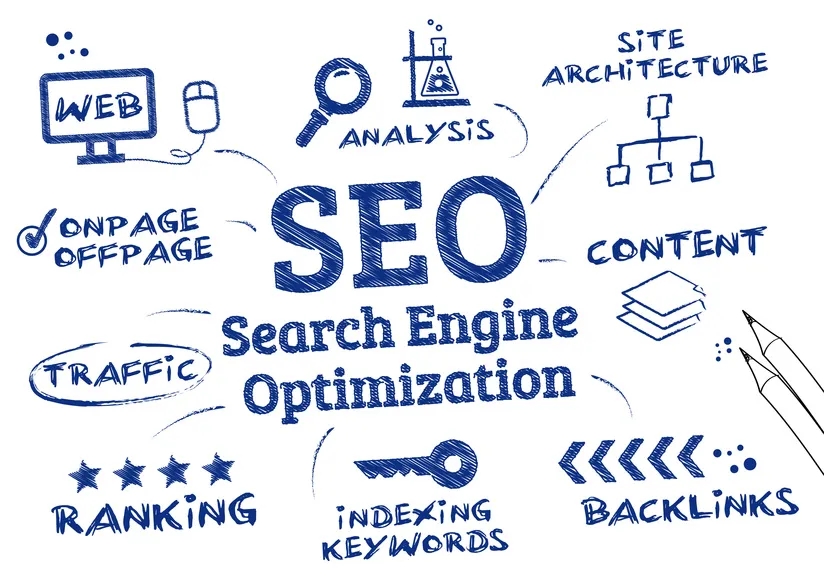
Technical SEO 2026: Panduan Lengkap Optimasi Teknis untuk Ranking Maksimal
Technical SEO 2026: Era INP, JavaScript Rendering, dan AI-Powered Crawlers
Technical SEO di 2026 mengalami evolusi dramatis dengan INP (Interaction to Next Paint) menggantikan FID sebagai Core Web Vital, Google’s AI-powered crawlers yang lebih pintar memahami JavaScript, dan mobile-first indexing 2.0 dengan fokus ekstrem pada mobile performance.
Game-Changing Updates 2026:
- INP sebagai Core Web Vital → Responsiveness jadi critical (target < 200ms)
- JavaScript SEO Matured → Client-side rendering fully supported dengan caveats
- Crawl Budget AI Optimization → Google allocates budget based on content quality
- Mobile-First 2.0 → Desktop version completely ignored untuk most sites
- HTTPS Everywhere → HTTP sites delisted dari search results
- Core Web Vitals Thresholds Stricter → “Good” range lebih ketat
- AI Content Detection → Technical signals untuk identify AI-generated spam
Technical SEO adalah fondasi yang menentukan apakah Google bisa crawl, index, dan rank website Anda dengan optimal. Konten berkualitas tidak akan ranking jika technical SEO berantakan.
Artikel ini membahas semua aspek technical SEO modern—dari crawlability, site architecture, hingga Core Web Vitals 2.0—dengan actionable checklist untuk audit dan optimasi.
Technical SEO adalah praktik optimasi aspek teknis website agar search engine bisa crawl, index, dan understand konten dengan efisien. Berbeda dengan on-page SEO yang fokus pada konten, technical SEO fokus pada infrastruktur website.
Mengapa Technical SEO Critical?
Analogi Sederhana:
- On-Page SEO = Interior rumah (furniture, dekorasi)
- Technical SEO = Fondasi & struktur rumah (pondasi, atap, listrik)
Tanpa fondasi yang kuat, interior sebagus apapun tidak akan bertahan.
Studi Kasus: E-commerce Fix Technical Issues, Revenue Naik 240%
Sebuah toko online dengan 5000+ produk mengalami stagnasi traffic meski konten bagus:
Technical Issues yang Ditemukan:
- 40% halaman tidak ter-index (blocked by robots.txt)
- Duplicate content masif (product variations)
- Site speed sangat lambat (8+ detik)
- Mobile usability issues
- Broken internal links 500+
- No XML sitemap
- Mixed content (HTTP + HTTPS)
Fixes yang Dilakukan (3 Bulan):
- Month 1: Fix crawl errors, robots.txt, sitemap, HTTPS
- Month 2: Resolve duplicate content, canonical tags, 301 redirects
- Month 3: Speed optimization, mobile fixes, structured data
Results Setelah 6 Bulan:
- Indexed pages: 2,000 → 4,500 (125% increase)
- Organic traffic: +185%
- Page speed score: 28 → 87
- Mobile usability errors: 45 → 0
- Average position: 25 → 12
- Organic revenue: +240%
- Bounce rate: 68% → 42%
Investment: $3,000 (developer time)
ROI: 3,200% dalam 6 bulan
Crawling & Indexing
1. Robots.txt Optimization
Robots.txt memberi instruksi ke search engine bot tentang halaman mana yang boleh/tidak boleh di-crawl.
Best Practices
Good robots.txt Example:
# Allow all bots
User-agent: *
Allow: /

# Block admin & private areas
Disallow: /admin/
Disallow: /cart/
Disallow: /checkout/
Disallow: /my-account/
Disallow: /wp-admin/
Disallow: /wp-includes/

# Block search & filter pages (duplicate content)
Disallow: /*?s=
Disallow: /*?sort=
Disallow: /*?filter=

# Block unnecessary file types
Disallow: /*.pdf$
Disallow: /*.doc$

# Allow CSS & JS (important for rendering)
Allow: /wp-content/uploads/
Allow: /*.css$
Allow: /*.js$

# Sitemap location
Sitemap: https://example.com/sitemap.xml
Sitemap: https://example.com/sitemap-news.xml
Common Mistakes
❌ Blocking Important Pages:
Disallow: /blog/ # Blocks entire blog - BAD!
❌ Blocking CSS/JS:
Disallow: /*.css$  # Google can't render page properly
Disallow: /*.js$
❌ No Sitemap Reference:
# Missing sitemap = harder for Google to discover URLs
Tools untuk Test
- Google Search Console → Robots.txt Tester
- Screaming Frog → Configuration → Robots.txt
2. XML Sitemap
XML Sitemap adalah roadmap yang membantu search engine discover dan crawl halaman penting.
Sitemap Best Practices
Types of Sitemaps:
a) Main Sitemap (Index):
<?xml version="1.0" encoding="UTF-8"?>
<sitemapindex xmlns="http://www.sitemaps.org/schemas/sitemap/0.9">
  <sitemap>
    <loc>https://example.com/post-sitemap.xml</loc>
    <lastmod>2025-12-15</lastmod>
  </sitemap>
  <sitemap>
    <loc>https://example.com/page-sitemap.xml</loc>
    <lastmod>2025-12-15</lastmod>
  </sitemap>
  <sitemap>
    <loc>https://example.com/product-sitemap.xml</loc>
    <lastmod>2025-12-15</lastmod>
  </sitemap>
</sitemapindex>
b) Post Sitemap:
<?xml version="1.0" encoding="UTF-8"?>
<urlset xmlns="http://www.sitemaps.org/schemas/sitemap/0.9">
  <url>
    <loc>https://example.com/article-slug/</loc>
    <lastmod>2025-12-15</lastmod>
    <changefreq>monthly</changefreq>
    <priority>0.8</priority>
  </url>
  <url>
    <loc>https://example.com/another-article/</loc>
    <lastmod>2025-12-10</lastmod>
    <changefreq>monthly</changefreq>
    <priority>0.7</priority>
  </url>
</urlset>
Sitemap Rules
- ✅ Include: Important pages yang ingin di-index
- ✅ Update: Automatic update saat ada konten baru
- ✅ Size limit: Max 50MB atau 50,000 URLs per sitemap
- ✅ Submit: Upload ke Google Search Console & Bing Webmaster
- ❌ Exclude: 404 pages, redirected URLs, noindex pages, duplicate content
Dynamic Sitemap Generation
WordPress:
- Yoast SEO (automatic)
- Rank Math (automatic)
- XML Sitemap Generator Plugin
Custom/Framework:
- Auto-generate via script
- Update on publish/update
- Include lastmod timestamp
3. Crawl Budget Optimization
Crawl budget = jumlah halaman yang Google crawl di website Anda dalam periode tertentu.
Factors yang Mempengaruhi
- Site Authority: High DA = more crawl budget
- Site Speed: Faster site = more pages crawled
- Site Size: Larger sites need more budget
- Update Frequency: Frequently updated = more crawls
- Errors: Many errors = wasted budget
Maximize Crawl Budget
a) Remove Low-Value Pages:
- Thin content pages
- Duplicate pages
- Expired/outdated content
- Pagination overload
b) Fix Crawl Errors:
- 404 errors
- Broken links
- Redirect chains
- Server errors (5xx)
c) Optimize Internal Linking:
- Important pages should be 3 clicks from homepage
- Remove orphan pages (no internal links)
d) Use Crawl-Delay (If Needed):
# In robots.txt (only if server overload)
User-agent: *
Crawl-delay: 10
⚠️ Warning: Only use if server can’t handle crawl rate—slows indexing.
4. Canonical Tags
Canonical tags tell Google which version of duplicate/similar pages is the original.
When to Use
Scenario 1: Product Variations
example.com/tshirt?color=red
example.com/tshirt?color=blue
example.com/tshirt?color=green

→ All should canonical to:
example.com/tshirt
Scenario 2: Pagination
example.com/blog/page/1/
example.com/blog/page/2/

→ Use rel="next" and rel="prev" OR
→ Self-referencing canonical
Scenario 3: HTTP vs HTTPS
http://example.com/page/
https://example.com/page/

→ HTTP version canonicals to HTTPS
Implementation
<link rel="canonical" href="https://example.com/original-page/" />
Best Practices
- ✅ Use absolute URLs, not relative
- ✅ Canonical should be indexable (not noindex)
- ✅ Canonical URL should return 200 status
- ✅ Self-referencing canonical on originals
- ❌ Don’t chain canonicals (A→B→C)
- ❌ Don’t canonical to different content
5. Noindex, Nofollow Tags
Control what Google indexes dan follows.
Meta Robots Tag
<!-- Don't index this page, but follow links -->
<meta name="robots" content="noindex, follow" />

<!-- Don't index, don't follow links -->
<meta name="robots" content="noindex, nofollow" />

<!-- Index page, don't follow links -->
<meta name="robots" content="index, nofollow" />
When to Use Noindex
- ✅ Thank you pages
- ✅ Admin/login pages
- ✅ Duplicate content that can’t be canonical
- ✅ Thin/low-value pages
- ✅ Private content
- ✅ Search results pages (site search)
X-Robots-Tag (HTTP Header)
For non-HTML files (PDF, images):
X-Robots-Tag: noindex, nofollow
Site Architecture & Structure
1. URL Structure
Clean, descriptive URLs are better for UX and SEO.
URL Best Practices
Good URLs:
✅ example.com/seo-guide/
✅ example.com/blog/technical-seo/
✅ example.com/products/laptop-gaming/
Bad URLs:
❌ example.com/p?id=12345
❌ example.com/2025/12/15/post-title-with-unnecessary-date/
❌ example.com/category/subcategory/sub-subcategory/product/
❌ example.com/page.php?session=abc123&ref=xyz
URL Guidelines
- Short: 3-5 words ideal
- Descriptive: Indicate page content
- Lowercase: Avoid uppercase
- Hyphens: Use
-not_for word separator - No parameters: Avoid
?when possible - No stop words: Remove “the”, “and”, “or”, “of”
- Static: Avoid session IDs, tracking params
2. Site Hierarchy & Navigation
Logical structure helps Google understand site organization.
Ideal Site Structure
Homepage (Level 0)
├─ Category 1 (Level 1)
│   ├─ Subcategory 1a (Level 2)
│   │   ├─ Product/Article 1 (Level 3)
│   │   └─ Product/Article 2 (Level 3)
│   └─ Subcategory 1b (Level 2)
│       └─ Product/Article 3 (Level 3)
├─ Category 2 (Level 1)
│   └─ Product/Article 4 (Level 2)
└─ Category 3 (Level 1)
    └─ Product/Article 5 (Level 2)
Structure Guidelines
- Shallow over deep: Max 3-4 clicks from homepage to any page
- Logical categorization: Group related content
- Breadcrumbs: Show hierarchy
- Internal linking: Connect related pages
3. Breadcrumb Navigation
Breadcrumbs show page hierarchy and improve UX + SEO.
HTML + Schema Implementation
<nav aria-label="Breadcrumb">
  <ol itemscope itemtype="https://schema.org/BreadcrumbList">
    <li
      itemprop="itemListElement"
      itemscope
      itemtype="https://schema.org/ListItem"
    >
      <a itemprop="item" href="https://example.com/">
        <span itemprop="name">Home</span>
      </a>
      <meta itemprop="position" content="1" />
    </li>
    <li
      itemprop="itemListElement"
      itemscope
      itemtype="https://schema.org/ListItem"
    >
      <a itemprop="item" href="https://example.com/seo/">
        <span itemprop="name">SEO</span>
      </a>
      <meta itemprop="position" content="2" />
    </li>
    <li
      itemprop="itemListElement"
      itemscope
      itemtype="https://schema.org/ListItem"
    >
      <a itemprop="item" href="https://example.com/seo/technical-seo/">
        <span itemprop="name">Technical SEO</span>
      </a>
      <meta itemprop="position" content="3" />
    </li>
  </ol>
</nav>
Benefits:
- Shows in Google SERP (better CTR)
- Improves internal linking
- Better UX (users understand location)
4. Pagination
Handle multi-page content properly.
Pagination Methods
Method 1: Self-Referencing Canonical (Recommended)
Each page canonicals to itself:
<!-- On /blog/page/2/ -->
<link rel="canonical" href="https://example.com/blog/page/2/" />
Method 2: View All Page
All paginated pages canonical to “view all”:
<link rel="canonical" href="https://example.com/blog/all/" />
⚠️ Only if “view all” doesn’t hurt performance.
Method 3: Rel Next/Prev (Deprecated)
Google no longer uses this, but may help other engines:
<!-- On page 2 -->
<link rel="prev" href="https://example.com/blog/page/1/" />
<link rel="next" href="https://example.com/blog/page/3/" />
Pagination Best Practices
- ✅ Include page number in title: “Blog - Page 2”
- ✅ Don’t noindex paginated pages (waste content)
- ✅ Internal link to paginated pages
- ✅ Consistent URL pattern
- ❌ Infinite scroll without pagination URLs
HTTPS & Security
1. SSL Certificate
HTTPS is ranking factor + trust signal.
Migration HTTP → HTTPS
Steps:
Acquire SSL Certificate
- Let’s Encrypt (free)
- Paid SSL (more validation levels)
Install SSL on Server
Update Internal Links
- Change all
http://tohttps:// - Update images, scripts, stylesheets
- Change all
301 Redirect HTTP → HTTPS
Apache (.htaccess):
RewriteEngine On
RewriteCond %{HTTPS} off
RewriteRule ^(.*)$ https://%{HTTP_HOST}%{REQUEST_URI} [L,R=301]
Nginx:
server {
    listen 80;
    server_name example.com www.example.com;
    return 301 https://$server_name$request_uri;
}
Update Google Search Console
- Add HTTPS property
- Submit new sitemap
Update Canonicals
- Point to HTTPS versions
Test Mixed Content
- Use browser console
- Fix any HTTP resources on HTTPS pages
Security Headers
Implement via HTTP headers:
# HSTS (HTTP Strict Transport Security)
add_header Strict-Transport-Security "max-age=31536000; includeSubDomains; preload" always;

# X-Frame-Options (prevent clickjacking)
add_header X-Frame-Options "SAMEORIGIN" always;

# X-Content-Type-Options
add_header X-Content-Type-Options "nosniff" always;

# X-XSS-Protection
add_header X-XSS-Protection "1; mode=block" always;

# Referrer Policy
add_header Referrer-Policy "strict-origin-when-cross-origin" always;
Mobile Optimization
1. Mobile-First Indexing
Google primarily uses mobile version untuk ranking.
Mobile SEO Checklist
- Responsive design (adapts to screen size)
- Mobile-friendly navigation (hamburger menu, touch-friendly)
- Readable font size (min 16px)
- Tap targets 48px+ (avoid fat finger issues)
- No intrusive interstitials
- Fast mobile loading (target <3 sec)
- Viewport meta tag configured
- No Flash or unsupported plugins
- Accessible form fields
Viewport Meta Tag
<meta name="viewport" content="width=device-width, initial-scale=1.0" />
Test Mobile-Friendliness
Tools:
- Google Mobile-Friendly Test
- Google Search Console → Mobile Usability report
- Chrome DevTools → Device emulation
2. Responsive Design vs Dynamic Serving vs Separate URLs
Responsive Design (Recommended):
- Same URL, same HTML, CSS adapts
- Easier to maintain
- Google’s preference
Dynamic Serving:
- Same URL, different HTML for mobile/desktop
- Requires Vary: User-Agent header
- More complex
Separate URLs (m.example.com):
- Different URLs for mobile
- Requires rel=“alternate” and rel=“canonical”
- Not recommended (legacy approach)
Page Speed Optimization
Covered extensively in separate article, but key points:
Core Web Vitals
1. Largest Contentful Paint (LCP)
- Target: <2.5 seconds
- Measures: Loading performance
Optimize:
- Optimize images (WebP, compress)
- Use CDN
- Preload critical resources
- Minimize server response time
2. First Input Delay (FID) / Interaction to Next Paint (INP)
- Target: <100ms (FID), <200ms (INP)
- Measures: Interactivity
Optimize:
- Minimize JavaScript execution
- Break up long tasks
- Use web workers
3. Cumulative Layout Shift (CLS)
- Target: <0.1
- Measures: Visual stability
Optimize:
- Set image/video dimensions
- Don’t inject content above existing content
- Use font-display: swap carefully
Speed Optimization Checklist
- Images compressed and modern formats (WebP/AVIF)
- Enable Gzip/Brotli compression
- Minify CSS, JS, HTML
- Leverage browser caching
- Use CDN for static assets
- Defer non-critical JavaScript
- Inline critical CSS
- Lazy load images/videos
- Optimize fonts (preload, subset, WOFF2)
- Reduce server response time (TTFB <200ms)
- Enable HTTP/2 or HTTP/3
- Remove unused CSS/JS
Tools:
- Google PageSpeed Insights
- GTmetrix
- WebPageTest
- Chrome DevTools Lighthouse
Structured Data (Schema Markup)
Structured data helps Google understand content dan display rich results.
Common Schema Types
1. Article Schema
{
  "@context": "https://schema.org",
  "@type": "Article",
  "headline": "Technical SEO Panduan Lengkap",
  "image": ["https://example.com/image.jpg"],
  "datePublished": "2025-12-15T14:00:00+00:00",
  "dateModified": "2025-12-15T14:00:00+00:00",
  "author": {
    "@type": "Person",
    "name": "John Doe",
    "url": "https://example.com/author/john/"
  },
  "publisher": {
    "@type": "Organization",
    "name": "SEO Company",
    "logo": {
      "@type": "ImageObject",
      "url": "https://example.com/logo.jpg"
    }
  },
  "description": "Panduan komprehensif Technical SEO..."
}
2. Breadcrumb Schema
(See breadcrumb section above)
3. FAQ Schema
{
  "@context": "https://schema.org",
  "@type": "FAQPage",
  "mainEntity": [
    {
      "@type": "Question",
      "name": "Apa itu Technical SEO?",
      "acceptedAnswer": {
        "@type": "Answer",
        "text": "Technical SEO adalah praktik optimasi aspek teknis website agar search engine bisa crawl, index, dan understand konten dengan efisien."
      }
    },
    {
      "@type": "Question",
      "name": "Mengapa Technical SEO penting?",
      "acceptedAnswer": {
        "@type": "Answer",
        "text": "Technical SEO adalah fondasi yang menentukan apakah Google bisa crawl dan index website Anda. Tanpa technical SEO yang baik, konten berkualitas tidak akan ranking optimal."
      }
    }
  ]
}
4. Product Schema
{
  "@context": "https://schema.org",
  "@type": "Product",
  "name": "Laptop Gaming XYZ",
  "image": "https://example.com/laptop.jpg",
  "description": "High-performance gaming laptop...",
  "sku": "LAP123",
  "brand": {
    "@type": "Brand",
    "name": "BrandName"
  },
  "offers": {
    "@type": "Offer",
    "url": "https://example.com/laptop-xyz/",
    "priceCurrency": "IDR",
    "price": "15000000",
    "availability": "https://schema.org/InStock",
    "seller": {
      "@type": "Organization",
      "name": "Example Store"
    }
  },
  "aggregateRating": {
    "@type": "AggregateRating",
    "ratingValue": "4.5",
    "reviewCount": "89"
  }
}
5. Local Business Schema
{
  "@context": "https://schema.org",
  "@type": "Restaurant",
  "name": "Example Cafe",
  "image": "https://example.com/cafe.jpg",
  "address": {
    "@type": "PostalAddress",
    "streetAddress": "Jl. Sudirman 123",
    "addressLocality": "Jakarta",
    "addressRegion": "DKI Jakarta",
    "postalCode": "12345",
    "addressCountry": "ID"
  },
  "geo": {
    "@type": "GeoCoordinates",
    "latitude": -6.2088,
    "longitude": 106.8456
  },
  "telephone": "+62211234567",
  "priceRange": "$$",
  "servesCuisine": "Coffee, Breakfast",
  "openingHoursSpecification": [
    {
      "@type": "OpeningHoursSpecification",
      "dayOfWeek": ["Monday", "Tuesday", "Wednesday", "Thursday", "Friday"],
      "opens": "08:00",
      "closes": "22:00"
    }
  ]
}
Implementation Methods
1. JSON-LD (Recommended)
<script type="application/ld+json">
  {
    "@context": "https://schema.org",
    ...
  }
</script>
2. Microdata (in HTML tags)
3. RDFa (less common)
Testing Schema
Tools:
- Google Rich Results Test
- Schema Markup Validator
- Google Search Console → Enhancements
Duplicate Content Issues
Common Causes & Solutions
1. WWW vs Non-WWW
Problem:
http://example.com
http://www.example.com
https://example.com
https://www.example.com
Solution: 301 redirect all to one canonical version.
Apache:
RewriteEngine On
RewriteCond %{HTTP_HOST} ^www\.example\.com [NC]
RewriteRule ^(.*)$ https://example.com/$1 [L,R=301]
2. Trailing Slash
Problem:
example.com/page
example.com/page/
Solution: Choose one format, redirect the other.
3. URL Parameters
Problem:
example.com/product?color=red
example.com/product?color=blue
example.com/product?sort=price
Solution:
- Use canonical tags
- Google Search Console → URL Parameters tool
- Configure params in robots.txt if needed
4. Printer-Friendly Pages
Problem:
example.com/article
example.com/article/print
Solution: Canonical print version to main version.
5. Content Syndication
If you republish content elsewhere:
- Request canonical back to your original
- Use rel=“canonical” pointing to your version
- Add delay (publish on your site first)
International SEO (Hreflang)
For multi-language or multi-regional sites.
Hreflang Implementation
<!-- English version -->
<link rel="alternate" hreflang="en" href="https://example.com/en/" />

<!-- Indonesian version -->
<link rel="alternate" hreflang="id" href="https://example.com/id/" />

<!-- English for US -->
<link rel="alternate" hreflang="en-us" href="https://example.com/us/" />

<!-- English for UK -->
<link rel="alternate" hreflang="en-gb" href="https://example.com/uk/" />

<!-- Default fallback -->
<link rel="alternate" hreflang="x-default" href="https://example.com/" />
URL Structure Options
1. ccTLD (Country Code Top-Level Domain)
example.co.id (Indonesia)
example.com.sg (Singapore)
example.com.my (Malaysia)
2. Subdomain
id.example.com
sg.example.com
3. Subdirectory (Easiest)
example.com/id/
example.com/sg/
Log File Analysis
Advanced technique untuk understand how Googlebot crawls your site.
What to Look For
- Crawl frequency: How often Google visits
- Response codes: 404s, 5xxs, redirects
- Resources crawled: Which pages get most attention
- Bot types: Googlebot, Googlebot-Mobile, etc.
- Crawl efficiency: Wasted budget on low-value pages
Tools
- Screaming Frog Log File Analyser
- Google Search Console (limited data)
- Custom scripts (Python, etc.)
Insights
- Identify pages Google can’t access
- Find redirect chains
- Discover orphan pages
- Optimize crawl budget allocation
Technical SEO Audit Checklist
Crawling & Indexing
- Robots.txt configured correctly
- XML sitemap exists and submitted
- No important pages blocked
- Canonical tags implemented
- Noindex used appropriately
- No redirect chains (max 1 redirect)
- 404 errors fixed or redirected
- No server errors (5xx)
- Orphan pages fixed (add internal links)
Site Architecture
- Clean URL structure
- Max 3-4 clicks to any page
- Breadcrumb navigation implemented
- Logical categorization
- Internal linking strategy
- Pagination handled properly
HTTPS & Security
- Valid SSL certificate
- All pages serve HTTPS
- No mixed content warnings
- HSTS header implemented
- Security headers configured
Mobile
- Mobile-responsive design
- Passes Mobile-Friendly Test
- No mobile usability errors in GSC
- Tap targets 48px+
- Readable font sizes
- Viewport meta tag present
Page Speed
- LCP <2.5 seconds
- FID <100ms / INP <200ms
- CLS <0.1
- Images optimized
- CSS/JS minified
- Browser caching enabled
- CDN implemented
- Gzip/Brotli compression enabled
Structured Data
- Article schema (for blog posts)
- Product schema (for e-commerce)
- Breadcrumb schema
- FAQ schema (where applicable)
- Local business schema (if applicable)
- No schema errors in GSC
Duplicate Content
- WWW vs non-WWW resolved
- Trailing slash consistency
- URL parameters handled
- Canonical tags on all pages
- No duplicate title tags
- No duplicate meta descriptions
International (If Applicable)
- Hreflang tags implemented
- Proper URL structure
- Country/language targeting in GSC
- No mixed language content
Tools untuk Technical SEO
Free Tools
- Google Search Console - Crawl errors, index coverage, Core Web Vitals
- Google PageSpeed Insights - Performance metrics
- Google Mobile-Friendly Test
- Google Rich Results Test - Schema validation
- Screaming Frog (Free: 500 URLs) - Site crawl
- Bing Webmaster Tools
- Chrome DevTools - Lighthouse, Network, Performance
Premium Tools
- Screaming Frog (Paid) - Unlimited crawl, log analysis
- Ahrefs Site Audit - Comprehensive technical audit
- SEMrush Site Audit - Technical issues detection
- Sitebulb - Visual site crawler
- DeepCrawl/Lumar - Enterprise crawling
- OnCrawl - Log analysis + crawling
Common Technical SEO Mistakes
❌ Blocking CSS/JS in Robots.txt
- Google can’t render page properly
- Fix: Allow CSS/JS
❌ Redirect Chains
- A → B → C → D
- Fix: Direct redirect A → D
❌ Mixed HTTP/HTTPS Content
- HTTPS page loads HTTP resources
- Fix: Update all to HTTPS
❌ Missing Alt Text on Images
- Accessibility + SEO issue
- Fix: Add descriptive alt text
❌ Slow Server Response Time
- TTFB >600ms
- Fix: Upgrade hosting, optimize backend
❌ Duplicate Content Across Domains
- Same content on multiple sites
- Fix: 301 redirect or canonical
❌ Poor Internal Linking
- Orphan pages, no logical structure
- Fix: Strategic internal linking
❌ Ignoring Mobile
- Desktop-only optimization
- Fix: Mobile-first approach
Kesimpulan: Technical SEO = Foundation yang Solid
Technical SEO bukan one-time task—ini adalah ongoing maintenance. Website dengan technical foundation yang kuat akan lebih mudah ranking, meskipun kontennya mirip dengan kompetitor. Invest waktu untuk audit technical SEO secara berkala (minimal quarterly), fix issues, dan monitor performance. Combined dengan on-page dan off-page SEO, website Anda akan unggul di SERP.
Baca Juga Artikel Terkait
- SEO On-Page Optimization Checklist
- Cara Optimasi Kecepatan Website
- Content Marketing SEO Strategi
- Analisis Kompetitor SEO
Advanced Technical SEO 2026
1. INP (Interaction to Next Paint) Deep Dive
INP menggantikan FID sebagai Core Web Vital di Maret 2024, dan di 2026 standarnya semakin strict.
What is INP?
- Mengukur responsiveness dari seluruh lifecycle page
- FID hanya mengukur first interaction, INP mengukur semua interactions
- Target: < 200ms (Good), 200-500ms (Needs Improvement), > 500ms (Poor)
Common INP Issues:
- Long JavaScript Tasks
// BAD: Blocking main thread
function processLargeData() {
  for (let i = 0; i < 1000000; i++) {
    // Heavy computation
  }
}

// GOOD: Break into chunks
async function processLargeDataChunked() {
  const chunkSize = 1000;
  for (let i = 0; i < 1000000; i += chunkSize) {
    await new Promise((resolve) => setTimeout(resolve, 0));
    // Process chunk
  }
}
- Heavy Event Handlers
// BAD: No debouncing
input.addEventListener("keyup", () => {
  expensiveSearch();
});

// GOOD: Debounced
input.addEventListener(
  "keyup",
  debounce(() => {
    expensiveSearch();
  }, 300)
);
- Third-Party Scripts
<!-- Load non-critical scripts async -->
<script src="analytics.js" async></script>
<script src="chat-widget.js" defer></script>

<!-- Use Partytown for CPU-intensive third-party -->
<script type="text/partytown" src="heavy-library.js"></script>
INP Optimization Checklist:
✅ Code splitting (load only what's needed)
✅ Lazy load non-critical JavaScript
✅ Use Web Workers for heavy computations
✅ Debounce/throttle event handlers
✅ Minimize main thread work
✅ Use requestIdleCallback untuk non-urgent tasks
✅ Optimize event delegation
✅ Remove unused JavaScript (tree shaking)
Monitoring INP:
// Web Vitals library
import { onINP } from "web-vitals";

onINP((metric) => {
  console.log("INP:", metric.value);
  // Send to analytics
  gtag("event", "web_vitals", {
    name: "INP",
    value: Math.round(metric.value),
    id: metric.id,
  });
});
2. JavaScript SEO 2026
Client-Side Rendering (CSR) Challenges:
Google can render JavaScript, tapi ada caveats:
- Delayed Indexing: Server-side content indexed faster
- Crawl Budget: JS rendering consumes more resources
- Errors: If JS fails, content invisible
- Performance: CSR slower untuk first contentful paint
Rendering Strategies:
| Strategy | SEO Score | Performance | Complexity |
|---|---|---|---|
| SSR (Server-Side Rendering) | ⭐⭐⭐⭐⭐ | ⭐⭐⭐⭐ | ⭐⭐⭐⭐ |
| SSG (Static Site Generation) | ⭐⭐⭐⭐⭐ | ⭐⭐⭐⭐⭐ | ⭐⭐⭐ |
| ISR (Incremental Static Regen) | ⭐⭐⭐⭐⭐ | ⭐⭐⭐⭐⭐ | ⭐⭐⭐⭐ |
| CSR (Client-Side Rendering) | ⭐⭐⭐ | ⭐⭐ | ⭐⭐ |
| Hybrid (SSR + CSR) | ⭐⭐⭐⭐ | ⭐⭐⭐⭐ | ⭐⭐⭐⭐⭐ |
JavaScript SEO Best Practices 2026:
1. Implement Dynamic Rendering (If CSR Required):
# Nginx config
map $http_user_agent $is_bot {
  default 0;
  ~*(googlebot|bingbot|baiduspider) 1;
}

location / {
  if ($is_bot) {
    proxy_pass http://prerender_server;
  }
  # Regular traffic
}
2. Use Meta Tags for CSR:
<!-- Ensure meta tags in initial HTML, not JS-injected -->
<head>
  <title>Page Title - Not JS-Generated</title>
  <meta name="description" content="Static description" />
  <link rel="canonical" href="https://example.com/page/" />
</head>
3. Implement Skeleton Screens:
<!-- Server-rendered skeleton -->
<div class="skeleton">
  <div class="skeleton-header"></div>
  <div class="skeleton-text"></div>
</div>

<!-- JavaScript hydrates with real content -->
<script>
  fetch("/api/content").then((data) => {
    // Replace skeleton
  });
</script>
4. Test with Mobile-Friendly Test:
# Google's URL Inspection Tool in GSC
# Shows exactly what Google renders
3. Core Web Vitals 2.0 Advanced Strategies
LCP (Largest Contentful Paint) < 2.5s:
Advanced Optimization:
1. Resource Hints:
<!-- DNS prefetch untuk external domains -->
<link rel="dns-prefetch" href="//fonts.googleapis.com" />

<!-- Preconnect untuk critical origins -->
<link rel="preconnect" href="https://cdn.example.com" crossorigin />

<!-- Prefetch untuk next-page navigation -->
<link rel="prefetch" href="/next-page.html" />

<!-- Preload critical resources -->
<link rel="preload" as="image" href="hero.webp" fetchpriority="high" />
<link rel="preload" as="font" href="font.woff2" type="font/woff2" crossorigin />
2. Image Optimization 2026:
<!-- Modern formats dengan fallback -->
<picture>
  <source
    srcset="image-320w.avif 320w, image-640w.avif 640w, image-1280w.avif 1280w"
    sizes="(max-width: 640px) 100vw, 640px"
    type="image/avif"
  />
  <source
    srcset="image-320w.webp 320w, image-640w.webp 640w, image-1280w.webp 1280w"
    sizes="(max-width: 640px) 100vw, 640px"
    type="image/webp"
  />
  <img
    src="image-640w.jpg"
    alt="Description"
    width="640"
    height="480"
    loading="lazy"
    decoding="async"
  />
</picture>
3. Critical CSS Inline:
<head>
  <!-- Inline critical CSS (above-the-fold) -->
  <style>
    /* Critical CSS here */
    .header {
      /* ... */
    }
    .hero {
      /* ... */
    }
  </style>

  <!-- Load full CSS async -->
  <link
    rel="preload"
    href="styles.css"
    as="style"
    onload="this.onload=null;this.rel='stylesheet'"
  />
  <noscript><link rel="stylesheet" href="styles.css" /></noscript>
</head>
CLS (Cumulative Layout Shift) < 0.1:
Advanced Prevention:
1. Reserve Space for Dynamic Content:
/* Ads, embeds, lazy-loaded images */
.ad-container {
  min-height: 250px; /* Reserve exact space */
  background: #f0f0f0;
}

/* Images dengan aspect-ratio */
img {
  aspect-ratio: attr(width) / attr(height); /* Future CSS */
  width: 100%;
  height: auto;
}

/* Current solution */
img {
  width: 100%;
  height: auto;
}
2. Font Loading Strategy:
/* Option 1: font-display swap (flash of unstyled text OK) */
@font-face {
  font-family: 'CustomFont';
  src: url('font.woff2') format('woff2');
  font-display: swap;
}

/* Option 2: font-display optional (system font if slow) */
@font-face {
  font-family: 'CustomFont';
  src: url('font.woff2') format('woff2');
  font-display: optional;
}

/* Preload important fonts */
<link rel="preload" href="font.woff2" as="font" type="font/woff2" crossorigin>
3. Animations Without Layout Shift:
/* GOOD: Transform/opacity don't cause reflow */
.element {
  transition: transform 0.3s, opacity 0.3s;
}

.element:hover {
  transform: scale(1.1);
  opacity: 0.8;
}

/* BAD: Width/height/margin cause layout shift */
.element {
  transition: width 0.3s;
}

.element:hover {
  width: 200px; /* Causes reflow */
}
4. Mobile-First Indexing 2.0
Google uses ONLY mobile version untuk indexing (desktop ignored untuk most sites).
Critical Checks:
1. Content Parity:
✅ Mobile has SAME content as desktop
✅ Structured data identical on both
✅ Meta tags sama di mobile dan desktop
✅ Images accessible on mobile
✅ Videos embedded properly on mobile
2. Mobile Usability:
<!-- Viewport meta tag (wajib) -->
<meta name="viewport" content="width=device-width, initial-scale=1" />

<!-- Touch-friendly elements (min 48x48px) -->
<button style="min-width: 48px; min-height: 48px;">Click</button>

<!-- Readable fonts (min 16px base) -->
<body style="font-size: 16px;"></body>
3. Mobile Performance:
Target Mobile Metrics:
- LCP: < 2.5s (on 4G)
- INP: < 200ms
- CLS: < 0.1
- FCP: < 1.8s
- TTFB: < 600ms
4. Avoid Mobile Mistakes:
❌ Intrusive interstitials (popup yang block content)
❌ Flash content (not supported)
❌ Unplayable videos (wrong format)
❌ Tiny fonts (< 12px)
❌ Touch targets terlalu kecil (< 48px)
❌ Horizontal scrolling required
5. Structured Data Advanced Implementation
Rich Results yang Most Valuable (2026):
1. FAQ Schema (Featured Snippet Magnet):
{
  "@context": "https://schema.org",
  "@type": "FAQPage",
  "mainEntity": [
    {
      "@type": "Question",
      "name": "What is technical SEO?",
      "acceptedAnswer": {
        "@type": "Answer",
        "text": "<p>Technical SEO is the practice of optimizing the technical aspects of a website to improve search engine crawling and indexing.</p>"
      }
    },
    {
      "@type": "Question",
      "name": "How often should I do technical SEO audit?",
      "acceptedAnswer": {
        "@type": "Answer",
        "text": "<p>Perform technical SEO audits quarterly for most websites, or monthly for high-traffic sites with frequent updates.</p>"
      }
    }
  ]
}
2. HowTo Schema (Step-by-Step Visibility):
{
  "@context": "https://schema.org",
  "@type": "HowTo",
  "name": "How to Fix 404 Errors",
  "description": "Step-by-step guide to identify and fix 404 errors",
  "step": [
    {
      "@type": "HowToStep",
      "name": "Export 404 errors from Google Search Console",
      "text": "Navigate to Coverage report and filter by 404 errors",
      "image": "https://example.com/step1.jpg"
    },
    {
      "@type": "HowToStep",
      "name": "Decide: Redirect or Fix",
      "text": "If content moved, use 301 redirect. If deleted permanently, ensure 404 is served."
    }
  ],
  "totalTime": "PT30M"
}
3. Breadcrumb Schema (Navigation Enhancement):
{
  "@context": "https://schema.org",
  "@type": "BreadcrumbList",
  "itemListElement": [
    {
      "@type": "ListItem",
      "position": 1,
      "name": "Home",
      "item": "https://example.com/"
    },
    {
      "@type": "ListItem",
      "position": 2,
      "name": "SEO",
      "item": "https://example.com/seo/"
    },
    {
      "@type": "ListItem",
      "position": 3,
      "name": "Technical SEO",
      "item": "https://example.com/seo/technical-seo/"
    }
  ]
}
4. VideoObject Schema (Video Rich Results):
{
  "@context": "https://schema.org",
  "@type": "VideoObject",
  "name": "Technical SEO Tutorial",
  "description": "Complete technical SEO guide for beginners",
  "thumbnailUrl": "https://example.com/thumbnail.jpg",
  "uploadDate": "2026-12-17",
  "duration": "PT10M30S",
  "contentUrl": "https://example.com/video.mp4",
  "embedUrl": "https://youtube.com/embed/abc123"
}
Schema Testing Workflow:
1. Add schema to page (JSON-LD recommended)
2. Test with Google Rich Results Test
3. Deploy to production
4. Monitor in Search Console → Enhancements
5. Check for errors/warnings
6. Iterate and improve
6. International SEO Advanced (Hreflang)
Complex Hreflang Implementation:
Scenario: Multiple Languages + Multiple Regions:
<!-- Example: English, Indonesian, Spanish for different countries -->

<!-- English - Global default -->
<link rel="alternate" hreflang="en" href="https://example.com/en/" />

<!-- English - United States -->
<link rel="alternate" hreflang="en-us" href="https://example.com/en-us/" />

<!-- English - United Kingdom -->
<link rel="alternate" hreflang="en-gb" href="https://example.com/en-gb/" />

<!-- Indonesian - Indonesia -->
<link rel="alternate" hreflang="id-id" href="https://example.com/id/" />

<!-- Spanish - Spain -->
<link rel="alternate" hreflang="es-es" href="https://example.com/es/" />

<!-- Spanish - Mexico -->
<link rel="alternate" hreflang="es-mx" href="https://example.com/es-mx/" />

<!-- Default fallback (usually English or most popular) -->
<link rel="alternate" hreflang="x-default" href="https://example.com/" />
Hreflang in XML Sitemap (Recommended for Large Sites):
<?xml version="1.0" encoding="UTF-8"?>
<urlset xmlns="http://www.sitemaps.org/schemas/sitemap/0.9"
        xmlns:xhtml="http://www.w3.org/1999/xhtml">
  <url>
    <loc>https://example.com/en/page/</loc>
    <xhtml:link rel="alternate" hreflang="en" href="https://example.com/en/page/" />
    <xhtml:link rel="alternate" hreflang="id-id" href="https://example.com/id/page/" />
    <xhtml:link rel="alternate" hreflang="es-es" href="https://example.com/es/page/" />
    <xhtml:link rel="alternate" hreflang="x-default" href="https://example.com/en/page/" />
  </url>
  <url>
    <loc>https://example.com/id/page/</loc>
    <xhtml:link rel="alternate" hreflang="en" href="https://example.com/en/page/" />
    <xhtml:link rel="alternate" hreflang="id-id" href="https://example.com/id/page/" />
    <xhtml:link rel="alternate" hreflang="es-es" href="https://example.com/es/page/" />
    <xhtml:link rel="alternate" hreflang="x-default" href="https://example.com/en/page/" />
  </url>
</urlset>
Common Hreflang Mistakes:
❌ Missing return tags (A links to B, but B doesn't link back to A)
❌ Wrong language codes (using "in" instead of "id" for Indonesian)
❌ Mixing URL structures (some /id/, some id.example.com)
❌ No x-default specified
❌ Self-referencing hreflang missing
❌ Conflicting signals (hreflang says EN, html lang says ID)
Validation:
- Ahrefs Hreflang Tag Testing Tool
- Google Search Console → International Targeting
- Screaming Frog → Hreflang tab
7. Security Headers untuk SEO 2026
Security sebagai Trust Signal:
# Nginx configuration
add_header Strict-Transport-Security "max-age=31536000; includeSubDomains; preload" always;
add_header X-Frame-Options "SAMEORIGIN" always;
add_header X-Content-Type-Options "nosniff" always;
add_header X-XSS-Protection "1; mode=block" always;
add_header Referrer-Policy "strict-origin-when-cross-origin" always;
add_header Permissions-Policy "geolocation=(), microphone=(), camera=()" always;

# Content Security Policy
add_header Content-Security-Policy "default-src 'self'; script-src 'self' 'unsafe-inline' https://trusted-cdn.com; style-src 'self' 'unsafe-inline';" always;
Apache (.htaccess):
<IfModule mod_headers.c>
  Header always set Strict-Transport-Security "max-age=31536000; includeSubDomains; preload"
  Header always set X-Frame-Options "SAMEORIGIN"
  Header always set X-Content-Type-Options "nosniff"
  Header always set X-XSS-Protection "1; mode=block"
  Header always set Referrer-Policy "strict-origin-when-cross-origin"
</IfModule>
Why Security Headers Matter for SEO:
- Trust signals → Google considers site security
- HTTPS requirement → Non-HTTPS sites delisted (2026)
- User safety → Compromised sites get warning labels
- Mobile security → Extra important untuk mobile-first indexing
FAQ: Technical SEO 2026
1. Apakah INP lebih penting dari LCP di 2026?
Keduanya equally penting, tapi INP lebih challenging untuk optimize karena mengukur all interactions, bukan hanya first load.
Prioritas berdasarkan website type:
| Website Type | LCP Priority | INP Priority |
|---|---|---|
| Blog/News | ⭐⭐⭐⭐⭐ | ⭐⭐⭐ |
| E-commerce | ⭐⭐⭐⭐⭐ | ⭐⭐⭐⭐⭐ |
| Web Apps | ⭐⭐⭐ | ⭐⭐⭐⭐⭐ |
| Portfolio | ⭐⭐⭐⭐ | ⭐⭐ |
| SaaS Dashboard | ⭐⭐⭐ | ⭐⭐⭐⭐⭐ |
Kenapa INP critical untuk interactive sites:
- E-commerce: Users click products, filters, cart, checkout → banyak interactions
- Web apps: Forms, dropdowns, searches → every interaction measured
- Blogs: Minimal interactions (mostly scrolling) → INP less critical
Optimization Strategy:
IF blog/content site:
  → Focus 70% LCP, 30% INP

IF e-commerce/app:
  → Focus 50% LCP, 50% INP

IF web app/dashboard:
  → Focus 30% LCP, 70% INP
2. Apakah JavaScript SEO sudah solved di 2026?
Partially solved, tapi masih ada challenges:
✅ What Google Can Do (2026):
- Render JavaScript client-side (Chrome 120+ engine)
- Index dynamic content generated by JS
- Execute modern ES6+ code
- Handle single-page applications (SPAs)
- Crawl AJAX-loaded content
❌ What’s Still Problematic:
- Delayed indexing (SSR content indexed 2-5x faster)
- Crawl budget waste (JS rendering expensive)
- Errors break everything (if JS fails, content invisible)
- Performance penalty (JS-heavy sites slower LCP/INP)
- No guarantees (Google might not render if crawl budget limited)
Best Practices 2026:
Option 1: SSR/SSG (Recommended)
// Next.js (SSR)
export async function getServerSideProps() {
  const data = await fetchData();
  return { props: { data } };
}

// Next.js (SSG - even better)
export async function getStaticProps() {
  const data = await fetchData();
  return { props: { data } };
}
Option 2: Hybrid Rendering
// Critical content SSR, interactive features CSR
<div>
  {/* Server-rendered content */}
  <h1>SEO-Critical Title</h1>
  <p>SEO-critical first paragraph...</p>

  {/* Client-side interactive widget */}
  <ClientOnlyWidget />
</div>
Option 3: Dynamic Rendering (Last Resort)
// Serve static HTML to bots, JS to users
if (isBot(userAgent)) {
  return prerenderService.render(url);
} else {
  return clientApp;
}
Testing:
# Test exactly what Google sees
1. Google Search Console → URL Inspection
2. View "Crawled Page" → Screenshot
3. Compare with actual page
4. Fix any discrepancies
3. Berapa crawl budget ideal untuk website saya?
Crawl budget = jumlah pages Google crawl dalam periode tertentu. Tapi angka spesifiknya tidak publicly disclosed.
When Crawl Budget Matters:
✅ Critical for:
- Sites dengan 10,000+ pages (e-commerce, news sites)
- Sites dengan frequent updates (daily/hourly content)
- Sites dengan low authority (new/low DA sites)
❌ Not Critical for:
- Small sites (< 1,000 pages)
- Static sites (rarely updated)
- High authority sites (unlimited budget essentially)
Signals yang Indicate Crawl Budget Issues:
Google Search Console → Settings → Crawl Stats

Red flags:
- Total crawl requests flat/declining
- Many pages discovered but not indexed
- Long delay between publish → indexing
- Important pages not crawled recently
Maximize Crawl Budget:
1. Eliminate Crawl Waste:
❌ Remove:
- Duplicate pages
- Low-value pages (tags, archives)
- Infinite scroll pages
- Faceted navigation pages
- Thank you/confirmation pages
2. robots.txt Optimization:
User-agent: *
# Block low-value sections
Disallow: /admin/
Disallow: /search?*
Disallow: /*?sort=*
Disallow: /*?filter=*
Disallow: /cart/
Disallow: /checkout/

# Allow important sections
Allow: /products/
Allow: /blog/
Allow: /categories/
3. Internal Linking Architecture:
Critical pages (want frequent crawling):
  → 1-2 clicks dari homepage
  → Many internal links pointing to them
  → Featured in navigation/footer

Low-priority pages:
  → 3-4 clicks dari homepage
  → Minimal internal links
  → Canonical if duplicate
4. Site Speed = More Budget:
Fast server response (< 200ms) = Google crawls more pages/session
Slow server (> 1000ms) = Fewer pages crawled
5. XML Sitemap Prioritization:
<url>
  <loc>https://example.com/important-page/</loc>
  <priority>1.0</priority>
  <changefreq>daily</changefreq>
</url>

<url>
  <loc>https://example.com/less-important/</loc>
  <priority>0.3</priority>
  <changefreq>monthly</changefreq>
</url>
Expected Crawl Budget by Site Size:
| Pages | DA | Expected Daily Crawls | Indexing Speed |
|---|---|---|---|
| < 100 | Any | All pages | 1-7 days |
| 1K | 20-40 | 50-200 | 1-14 days |
| 10K | 20-40 | 200-1K | 7-30 days |
| 10K | 60+ | 1K-5K | 1-7 days |
| 100K | 40-60 | 1K-10K | 14-60 days |
4. Apakah duplicate content akan cause penalty di 2026?
Short answer: NO penalty, tapi ada negative consequences.
Google’s Official Stance:
“Duplicate content doesn’t cause a penalty. But it does cause filtering and ranking dilution.”
What Actually Happens:
1. Google Picks One Version (Filtering):
Scenario: Same content on 3 URLs
- URL A: /product?color=red
- URL B: /product?color=blue
- URL C: /product

Google shows ONLY 1 in search results (usually canonical version)
→ Other versions invisible, bukan penalty, just hidden
2. Ranking Dilution:
IF multiple versions indexed:
  → Backlinks split across URLs
  → Authority diluted
  → Lower rankings for all versions

IF canonical properly set:
  → Authority consolidated
  → One strong page ranks better
3. Crawl Budget Waste:
1000 pages × 3 duplicate versions each = 3,000 total pages
→ Google wastes budget crawling duplicates
→ Less budget for unique pages
→ Slower indexing for new content
Solutions (Priority Order):
1. Canonical Tags (Preferred):
<!-- On duplicate pages -->
<link rel="canonical" href="https://example.com/original/" />
2. 301 Redirects (If Pages Unnecessary):
# Redirect duplicates to canonical
location /duplicate-page {
  return 301 https://example.com/original/;
}
3. Noindex (If Must Keep URLs):
<meta name="robots" content="noindex, follow" />
4. Parameter Handling (URL Parameters):
Google Search Console → URL Parameters
Configure how Google treats parameters
When Duplicate Content IS Problematic:
Scraped/Plagiarized Content:
IF you copy content from other sites:
  → THAT can cause penalty
  → Manual action possible
  → Rankings tank

IF others copy YOUR content:
  → Usually not your problem
  → Google identifies original source
  → File DMCA if needed
5. Apakah server location affects SEO di 2026?
For international SEO: YES, tapi less important dibanding sebelumnya thanks to CDNs.
What Matters:
1. Server Speed > Server Location
Slow server di target country (500ms TTFB)
  WORSE than
Fast CDN globally (100ms TTFB)
2. CDN Eliminates Location Issues:
Origin server: Singapore
CDN nodes: 200+ locations globally

User di Indonesia → served from Jakarta node (10ms)
User di USA → served from New York node (15ms)
User di Europe → served from Frankfurt node (12ms)

→ Server location irrelevant dengan CDN
3. Country Targeting (CCTLDs vs Hosting):
Strongest Signal: ccTLD
.id = Indonesia (strongest)
.sg = Singapore
.com.my = Malaysia
Medium Signal: gTLD + Hosting
.com hosted in Indonesia + GSC geo-target = Good
Weakest Signal: gTLD + CDN
.com with global CDN = No specific country preference
→ Must use GSC country targeting
Best Setup (2026):
For Single Country:
Option 1: ccTLD + Local Hosting + CDN
example.id + IDC Jakarta + Cloudflare
= Strongest local SEO signal

Option 2: gTLD + CDN + GSC Targeting
example.com + Cloudflare + GSC set to Indonesia
= Good balance global + local
For Multiple Countries:
Option 1: Subdomains + CDN
id.example.com (Indonesia)
sg.example.com (Singapore)
+ Global CDN

Option 2: Subdirectories + CDN + Hreflang
example.com/id/ (Indonesia)
example.com/sg/ (Singapore)
+ Hreflang tags
+ Global CDN
Server Speed Requirements (2026):
Target TTFB (Time to First Byte):
- < 200ms: Excellent
- 200-500ms: Good
- 500-1000ms: Acceptable
- > 1000ms: Problem (affects LCP, rankings)
Testing Server Performance:
# Test TTFB globally
Tools:
- GTmetrix (select test location)
- WebPageTest (multiple locations)
- Pingdom (multiple locations)
- KeyCDN Performance Test

Expected: < 200ms TTFB dari target regions
6. Apakah HTTPS masih optional di 2026?
ABSOLUTELY NOT! HTTPS adalah mandatory requirement di 2026.
Google’s Position (2026):
- HTTP sites not indexed untuk sensitive categories (finance, health)
- Chrome browser shows “Not Secure” warning prominently
- Ranking boost untuk HTTPS (confirmed signal)
- Mobile-first indexing requires HTTPS
Migration Priority:
Critical (Immediate):
✅ E-commerce (payment processing)
✅ Login/signup pages
✅ YMYL sites (medical, financial, legal)
✅ Sites collecting any user data
Important (Within 30 days):
✅ All business websites
✅ Blogs with comments/subscriptions
✅ Sites with contact forms
HTTPS Migration Checklist:
Pre-Migration:
1. [ ] Purchase/renew SSL certificate
   - Let's Encrypt (free, recommended)
   - Commercial SSL (paid, support included)

2. [ ] Backup website completely

3. [ ] List all HTTP URLs needing redirects

4. [ ] Test SSL installation (SSL Labs Test)
During Migration:
5. [ ] Install SSL certificate on server

6. [ ] Implement 301 redirects (HTTP → HTTPS)
   Apache:
   RewriteEngine On
   RewriteCond %{HTTPS} off
   RewriteRule ^(.*)$ https://%{HTTP_HOST}/$1 [L,R=301]

   Nginx:
   server {
     listen 80;
     return 301 https://$host$request_uri;
   }

7. [ ] Update internal links to HTTPS

8. [ ] Update canonical tags to HTTPS

9. [ ] Update XML sitemap URLs to HTTPS

10. [ ] Implement HSTS header
    Strict-Transport-Security: max-age=31536000
Post-Migration:
11. [ ] Add HTTPS property to Google Search Console

12. [ ] Submit HTTPS sitemap

13. [ ] Update robots.txt sitemap reference

14. [ ] Check for mixed content warnings
    (Chrome DevTools Console)

15. [ ] Update social media links

16. [ ] Update Google Analytics property

17. [ ] Monitor traffic for 7-14 days

18. [ ] Check rankings stability
Common HTTPS Issues:
1. Mixed Content:
<!-- HTTPS page loading HTTP resources -->
❌ <img src="http://example.com/image.jpg" /> ✅
<img src="https://example.com/image.jpg" />

❌
<script src="http://cdn.com/script.js"></script>
✅
<script src="https://cdn.com/script.js"></script>
2. Certificate Errors:
- Expired certificate → Renew immediately
- Self-signed → Get proper certificate
- Name mismatch → Certificate must match domain
- Mixed intermediates → Proper certificate chain
3. Performance Impact:
HTTPS adds ~50-200ms overhead (TLS handshake)

Mitigation:
- HTTP/2 (multiplexing reduces overhead)
- TLS 1.3 (faster handshake)
- Session resumption
- CDN with optimized TLS
7. Berapa sering harus melakukan technical SEO audit?
Recommended Frequency:
| Website Type | Audit Frequency | Reasoning |
|---|---|---|
| Small blog (< 100 pages) | Quarterly (Every 3 months) | Low complexity, minimal changes |
| Medium site (100-1K pages) | Bi-monthly (Every 2 months) | Moderate complexity, regular updates |
| Large site (1K-10K pages) | Monthly | High complexity, frequent changes |
| Enterprise (10K+ pages) | Continuous (Weekly spot checks) | Very complex, constant updates |
| E-commerce | Monthly | Inventory changes, seasonal updates |
| News site | Weekly | Daily content, high crawl needs |
Audit Types:
1. Quick Health Check (Weekly):
Time: 15-30 minutes
Focus:
- GSC errors (new issues)
- Crawl stats trends
- Core Web Vitals scores
- Server uptime
- Major broken links
2. Standard Audit (Monthly/Quarterly):
Time: 2-4 hours
Checklist:
- Full site crawl (Screaming Frog)
- Index coverage report
- Core Web Vitals detailed analysis
- Structured data errors
- Mobile usability issues
- Security issues
- Duplicate content check
- Canonical tags review
- Internal linking analysis
- XML sitemap validation
3. Comprehensive Audit (Annually):
Time: 8-16 hours
Deep dive:
- Complete crawl analysis
- Log file analysis
- Backlink profile audit
- Competitor technical comparison
- Site architecture review
- Page speed optimization
- Schema markup expansion
- International SEO (if applicable)
- Accessibility audit
- Security headers review
When to Audit Immediately (Outside Schedule):
Triggers:
⚠️ Traffic drop > 20%
⚠️ Rankings drop significantly
⚠️ Google algorithm update
⚠️ Site redesign/migration
⚠️ Platform change (WordPress → Shopify)
⚠️ Manual action received
⚠️ Core Web Vitals failing
⚠️ Mass deindexing (pages dropping from index)
Audit Tool Recommendations:
Free:
- Google Search Console (weekly checks)
- Google PageSpeed Insights
- Screaming Frog (free: 500 URLs)
Paid:
- Screaming Frog (unlimited): $259/year
- Ahrefs Site Audit: $129+/month
- SEMrush Site Audit: $139+/month
- Sitebulb: $35+/month
Kesimpulan: Technical SEO 2026 = Mandatory Excellence
Technical SEO di 2026 bukan lagi tentang “nice to have”—ini adalah table stakes untuk bisa compete di search results. Dengan INP sebagai Core Web Vital baru, mobile-first indexing 2.0, dan Google’s AI-powered crawlers yang semakin sophisticated, website dengan technical foundation yang lemah akan tertinggal jauh.
Core Principles 2026:
- Mobile-First Everything → Desktop ignored, optimize for mobile
- Speed is Non-Negotiable → INP < 200ms, LCP < 2.5s, CLS < 0.1
- JavaScript SEO Maturity → SSR/SSG preferred, CSR dengan caveats
- HTTPS Mandatory → HTTP sites delisted/penalized
- Structured Data = Visibility → Rich results critical untuk CTR
- Crawl Budget Optimization → Efficiency matters untuk large sites
- Continuous Monitoring → Technical SEO adalah ongoing, not one-time
Action Plan: First 60 Days
Week 1-2: Critical Fixes
- Migrate to HTTPS (if not done)
- Fix all 404/500 errors
- Submit XML sitemap
- Configure robots.txt properly
- Install SSL certificate
- Implement 301 redirects for broken links
Week 3-4: Performance Optimization
- Optimize Core Web Vitals (LCP, INP, CLS)
- Implement image lazy loading
- Minify CSS/JavaScript
- Enable browser caching
- Setup CDN (Cloudflare recommended)
- Compress images (WebP/AVIF)
Week 5-6: Structure & Indexing
- Implement canonical tags
- Fix duplicate content
- Optimize site architecture (max 3 clicks)
- Add breadcrumb navigation
- Implement internal linking strategy
- Review noindex usage
Week 7-8: Advanced Optimizations
- Add structured data (Article, FAQ, Breadcrumb)
- Test with Rich Results Test
- Mobile usability fixes
- Security headers implementation
- Hreflang (if international)
- Log file analysis (if 10K+ pages)
Expected Results Timeline:
| Timeline | Expected Improvements |
|---|---|
| Week 1-2 | GSC errors drop 80%+, HTTPS secure |
| Month 1 | Core Web Vitals improving, mobile usability green |
| Month 2 | Index coverage improved, crawl efficiency up |
| Month 3 | Rankings stabilized/improved, traffic +10-30% |
| Month 6 | Technical foundation solid, traffic +30-60% |
| Month 12 | Sustained growth, reduced maintenance needs |
Critical Success Metrics:
Monitor Weekly:
- Core Web Vitals pass rate
- Index coverage ratio
- Crawl errors count
- Mobile usability issues
- Security issues
Monitor Monthly:
- Organic traffic trend
- Average position changes
- CTR improvements
- Page speed scores
- Structured data coverage
Final Thought:
Technical SEO adalah silent killer—users won’t complain about slow TTFB atau missing canonical tags, tapi Google will quietly downrank your site. Invest waktu untuk build technical excellence, dan reap rewards dalam bentuk sustainable organic growth.
Remember: Content may be king, tapi technical SEO is the kingdom. Without solid foundation, even best content won’t reach its ranking potential. 🏗️
Artikel Terkait
Lengkapi strategi SEO Anda dengan panduan advanced lainnya:
Link Postingan : https://www.tirinfo.com/technical-seo-panduan-lengkap/